An orthopedic surgeon has a proximal tibia fracture scheduled and wants to see which plates are available. They don't remember the trade name of any of them. In the same catalog, someone from Purchasing at a private hospital pastes a code copied from an order, a distributor searches by the brand they represent, and a surgical technologist preparing a training session starts with the procedure.
All four are looking for products in the same catalog, and no two start from the same place. A menu designed for people who already know the product name leaves three of them out.
Five navigation dimensions that can be combined.
In an orthopedic catalog, a single implant belongs to several classifications at once. A proximal tibia plate is a trauma product, it's used in the knee and the leg, it's a locking plate, it's used in osteosynthesis, and it has a brand. If all of that is handled with nested categories, branches like “Trauma › Lower limb › Plates › Tibia” appear, and every new product requires deciding which branch it goes in and repeating it in the others.
The alternative is to treat each classification as an independent dimension and link the product to a term in each one. At SAI, an Argentine orthopedic manufacturer and distributor, the catalog of nearly 270 products was organized into five navigation dimensions: area of interest, anatomical region, product type, procedure, and brand, with 86 terms in total.
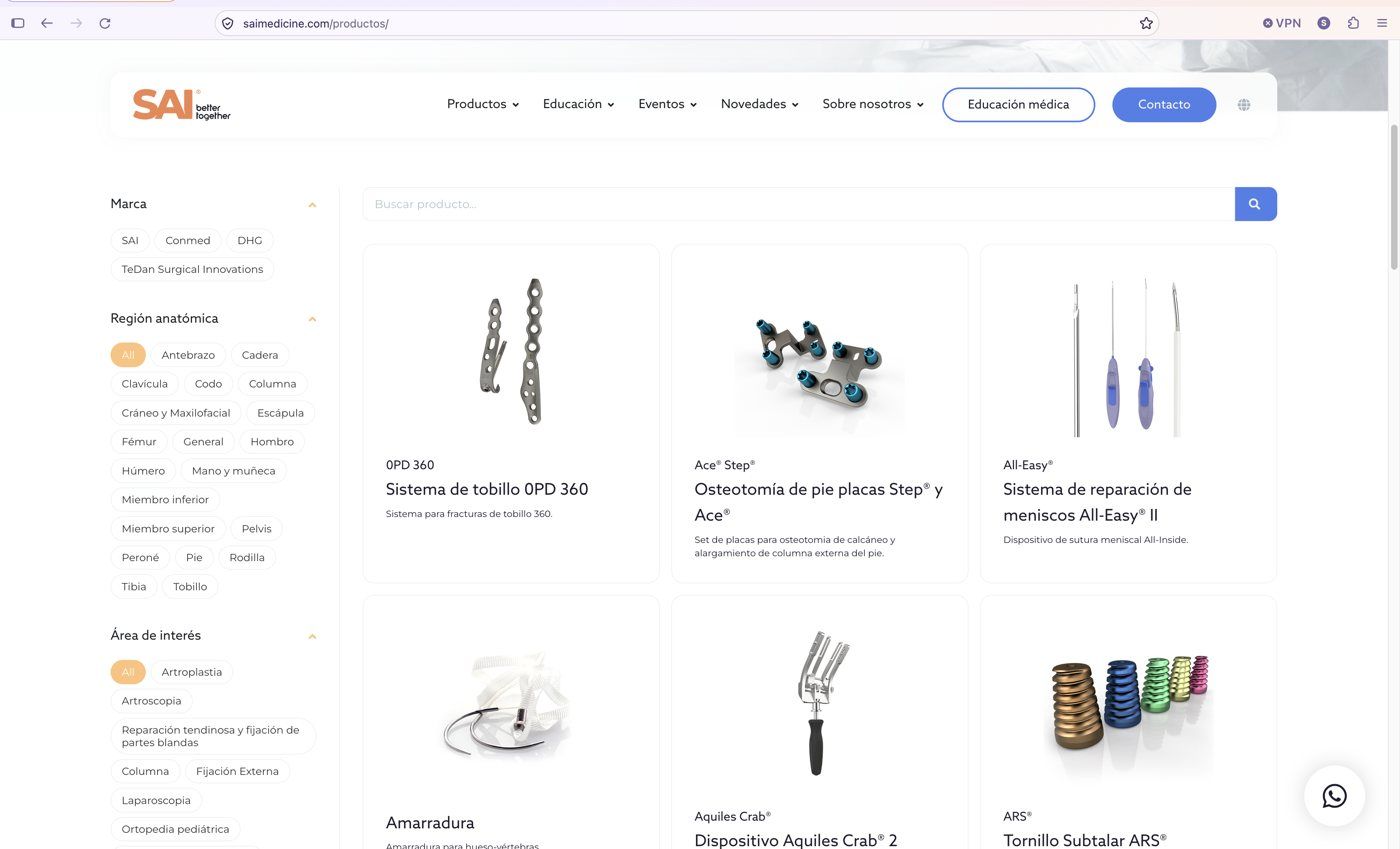
With that structure, the orthopedic surgeon selects “Tibia” and sees everything for that region, regardless of the product line. Adding a product type then narrows the list. When a new product comes in, it's linked to its terms and appears in every path at the same time, without anyone touching the menu.
The relationships are defined before the screen is designed. The filter a visitor sees reflects how the company decided to classify its products, and that decision is made by the people who know the portfolio, with the product page as the unit.
When the code is already known
For someone who arrives with a specific product written down, browsing anatomical regions is a waste of time. Site search in SAI's catalog finds products by title, code, brand, and trade name, and since September 4, 2026, also by the medical device's registration number (ANMAT's “PM” number).
That last piece of information is the one used by people who work with tenders, facility licensing, or purchasing files. In that paperwork, the product is listed by its registration rather than its trade name, and a single registration can cover several products. Searching by that number leads straight to all of them.
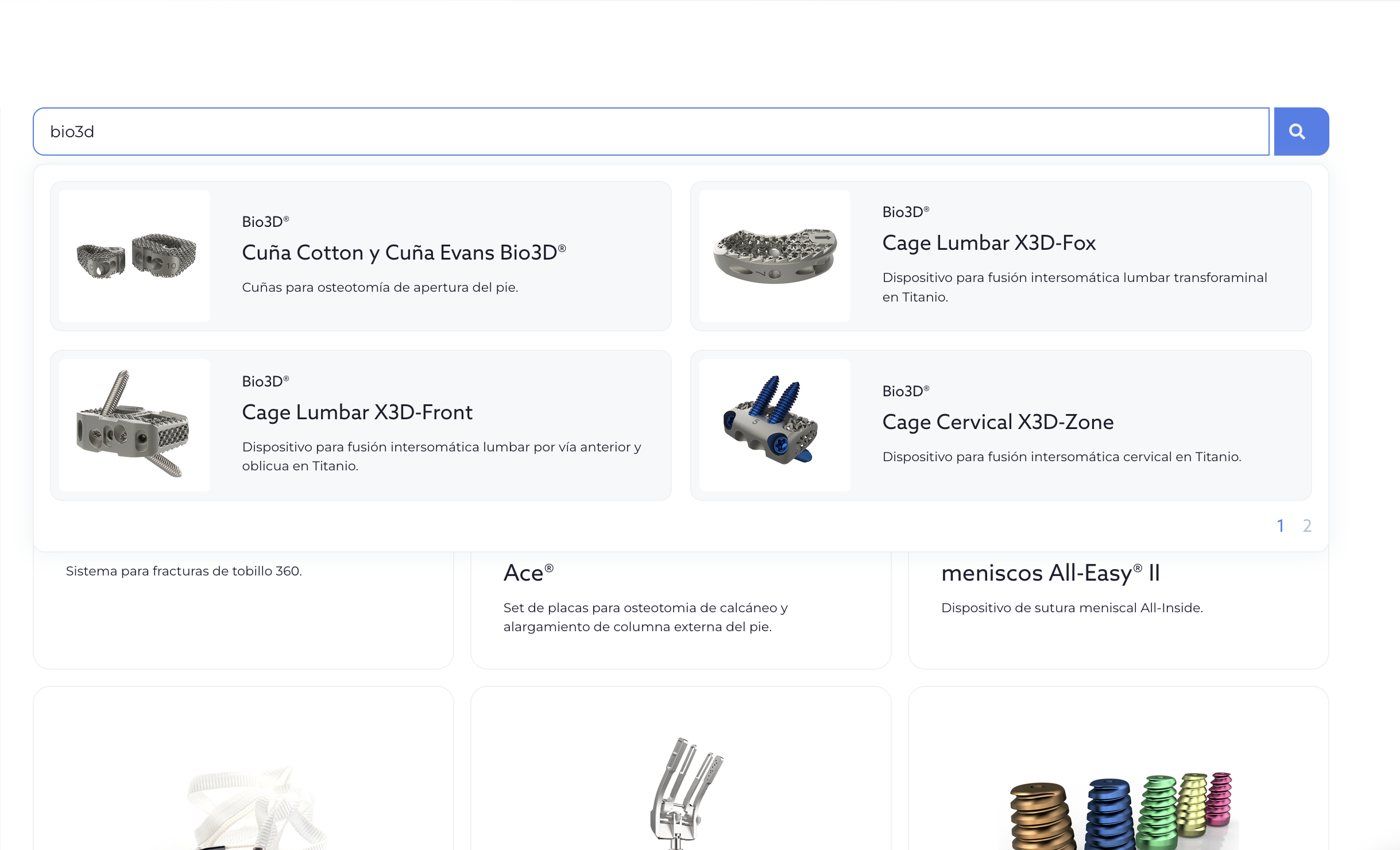
For a company that both manufactures and distributes, the brand dimension solves something else. Its own products appear first in the listings, including on each term's page, and each product page says who manufactures the product. An international brand the company distributes is identified as such.
When a filter comes up empty
With five dimensions that can be combined, some combinations return nothing: an anatomical region with a procedure the company doesn't cover in that area, or a brand that has no products of that type. An empty screen is the point where a visitor is most easily lost, because they read it as “this company has nothing for this,” even when the problem is the last filter they selected.
Some guidelines for that situation:
- Show which filters are active above the results, each with a way to remove it.
- When a combination has no products, say so, naming the filters, and offer a way back to the previous combination, which did have results.
- Keep visitors from getting there: if an option has no products within the current selection, disable it or show how many results it would return.
- Test the combinations on a phone, where filters are often collapsed and it's easier to miss which one is still selected.
Two paths for testing a catalog
Before going live, and every time a new batch of products comes in, two paths tested from a logged-out browser window are enough. The first starts with an anatomical region and works down to a product page. The second starts with a code or a registration number typed into site search. Both have to end on the same product page, with the product's brand, family, and documents, and from there, there has to be a way back to the other products in that region.
Services covered in this article